

Quick answer: Use Time Travel to cut the conversation at an earlier point and create a different continuation. Confirm only after reviewing the warning: later messages are removed, and memories created from those deleted messages are also removed.
Choose a rewind, reset, or separate chat
A rewind returns to an earlier message. A reset clears the current conversation state. A separate chat preserves the current branch while you explore another storyline. Use the least destructive option that solves the real problem.
AI Video Gallery
A preview of selected portrait videos and AI character images.
Rewind the chat step by step
- Open the conversation you want to change.
- Select the clock control in the chat header.
- Choose the message before the unwanted branch.
- Read the confirmation and review what will be removed.
- Confirm only after recording any information you are allowed to keep.
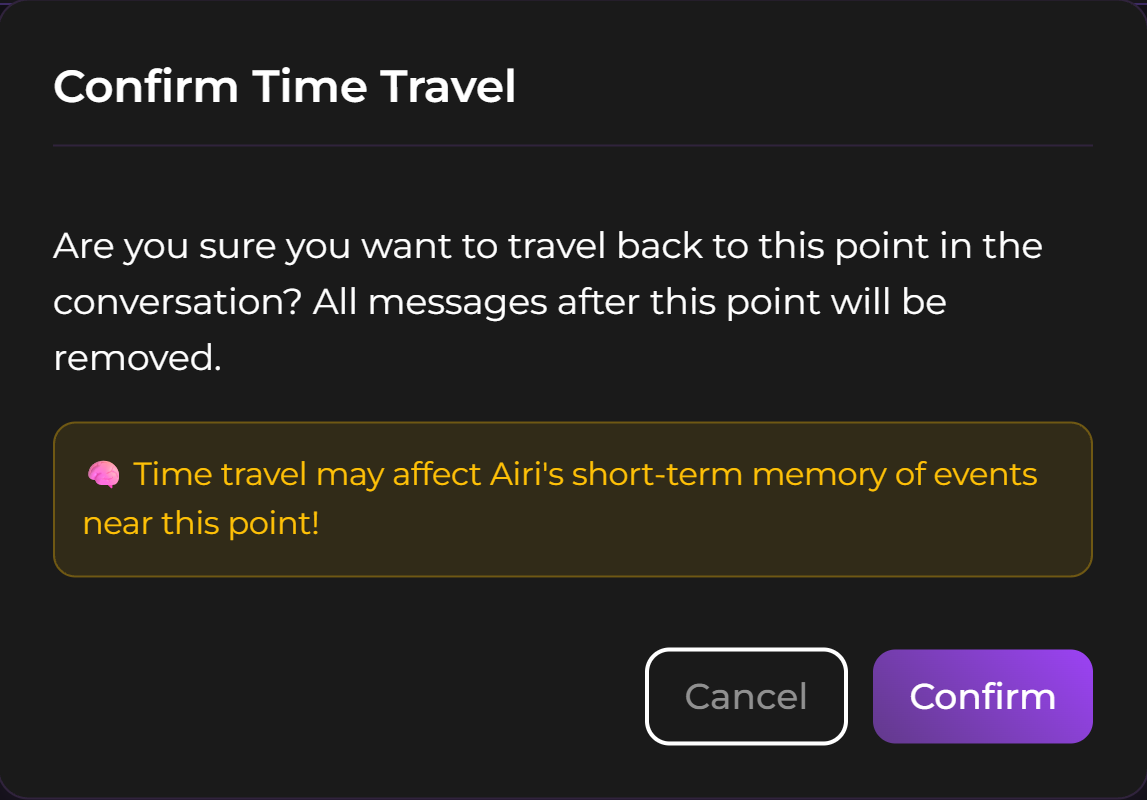
Editing an earlier message behaves like Time Travel according to the current Chat Features documentation, so the same branch-deletion warning applies.
Protect saved memory and useful context
The Memory System page says memories created from deleted messages are removed. Open the Memory panel before rewinding a long branch and check whether an important fact exists only in the section you are about to delete.
A full reset may offer a choice about retaining saved memories, but the conversation itself is still cleared. Use the saved-memory review steps before a rewind to inspect the relevant items before confirming.
Use another chat when both storylines matter
Create a new conversation when you want an alternate outcome without destroying the current one. The Multiple Chats workflow for preserving both storylines explains how to isolate the new storyline or deliberately share selected memory. Name the new chat clearly so you do not continue the wrong branch later.
Check current access before relying on the feature
At the time of checking, the official Time Travel page lists the feature for Premium and higher tiers and excludes the Free tier. Plan access can change, so verify the current subscription screen before paying for this control.
SecretOpedia’s Secrets AI continuity resources cover memory and alternate chats. The Secrets AI review covering Time Travel access and plan limits provides broader context. If a rewind has already removed needed content, follow the checks for a chat or conversation branch that appears missing to determine whether the material was deleted, archived, or opened under another account.
Before confirming, ask three questions: Do I need any later message? Did that branch create a memory I still need? Would a separate chat preserve both outcomes? A rewind is appropriate only when losing the later branch is intentional.
After the change, verify the selected message, active Persona, and Memory panel before continuing. This check prevents the replacement branch from starting with an unintended identity or missing fact.
Sources checked 2026-07-12: Time Travel, Chat Features, Memory System, Multiple Chats.
