
Quick answer: Sign in to the intended Secrets AI and Discord accounts, start the link from the Discord integration page, review the OAuth permissions, authorize the connection, then confirm the linked account, one-time reward status, and Discord role.
Confirm both identities before authorizing
The official workflow requires an active Discord account and a signed-in Secrets AI account. One Discord account can currently be linked to only one Secrets AI account. Check both usernames before starting, especially when the browser has more than one account session.
Record the Secrets AI account email and current Moments balance. This makes it easier to verify the result without relying on memory.
AI Video Gallery
A preview of selected portrait videos and AI character images.
Complete the OAuth linking flow
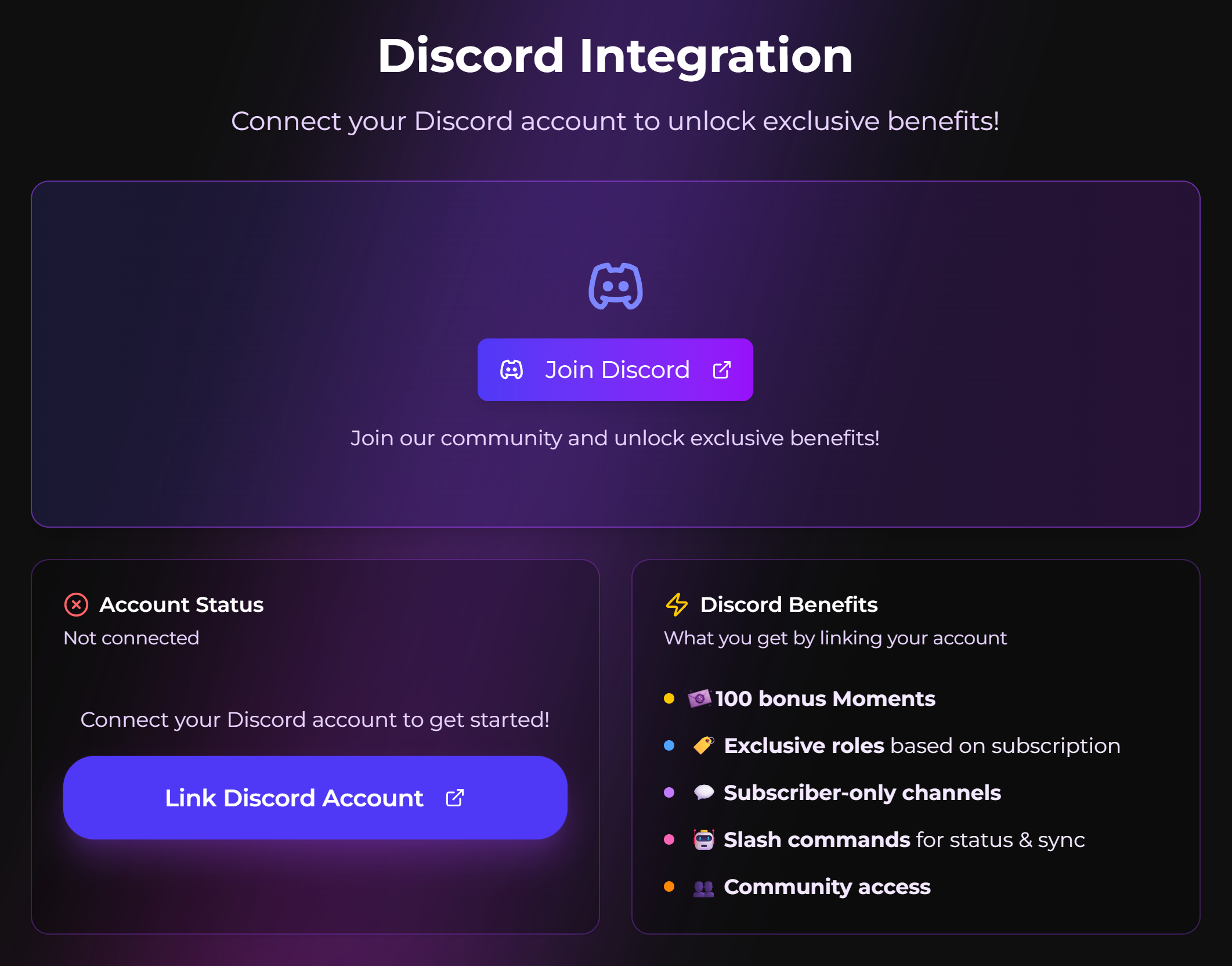
- Open the Secrets AI Discord integration page.
- Select the Link Discord action shown in the interface.
- Review the Discord account and requested permissions.
- Authorize only when the account and permissions are expected.
- Return to Secrets AI and look for the linked confirmation.
Do not enter a Discord password into an unrelated form. The authorization step should use Discord’s own OAuth flow.
Understand the one-time welcome reward
At the time of checking, the official Discord Integration page lists a 100-Moment welcome bonus for the first link. It is described as a one-time reward, not a recurring bonus for unlinking and reconnecting or for linking the same Discord identity to another account.
Use the balance-history workflow for distinguishing a reward from a purchase or monthly grant when checking whether the credit arrived.
Allow time for subscription-role syncing
The documentation says Discord roles are assigned from the Secrets AI subscription tier and update automatically after an upgrade or downgrade. Syncing may take a few moments. Check the plan shown in Secrets AI before assuming the Discord role is wrong.
Role names and channel access can change with the Discord community. Treat the current Discord server display as the live source for channel availability.
Protect privacy and unlink deliberately
Review the Discord username being connected and the permissions shown by OAuth. A linked subscription role may reveal tier information within Discord. Do not assume that account linking makes private Secrets AI chats or media public; those are separate systems, but public identity choices still deserve review.
The account-identity and subscription-status checks in User Settings help confirm that the intended Secrets AI account was linked. The official page says unlinking is available from account settings, with support as a fallback when needed.
Use the exact troubleshooting path
If the link completes but the first-link reward does not appear, use the checks for a Discord welcome bonus that was not added. Preserve the account email, Discord username, link time, confirmation screen, and before-and-after Moments balance.
SecretOpedia’s Secrets AI Discord and account-linking resources connect this workflow with Moments and settings. The Secrets AI review covering community integration, account controls, and plan context provides broader decision context.
Sources checked 2026-07-12: Discord Integration, User Settings, Moments & Payments.
